
Changelog (iOS app), version 5
For the latest updates, see the current iOS changelog.
- Added support for saving/sharing app backup data to any destination (e.g. when you are moving to new phone, new AppleId or to DrinkControl app on Android).
- App will try to automatically make weekly backup of app data to iCloud (premium feature) if iCloud access for DrinkControl is enabled and you have free space available in your iCloud.
- Minor bug fixes.
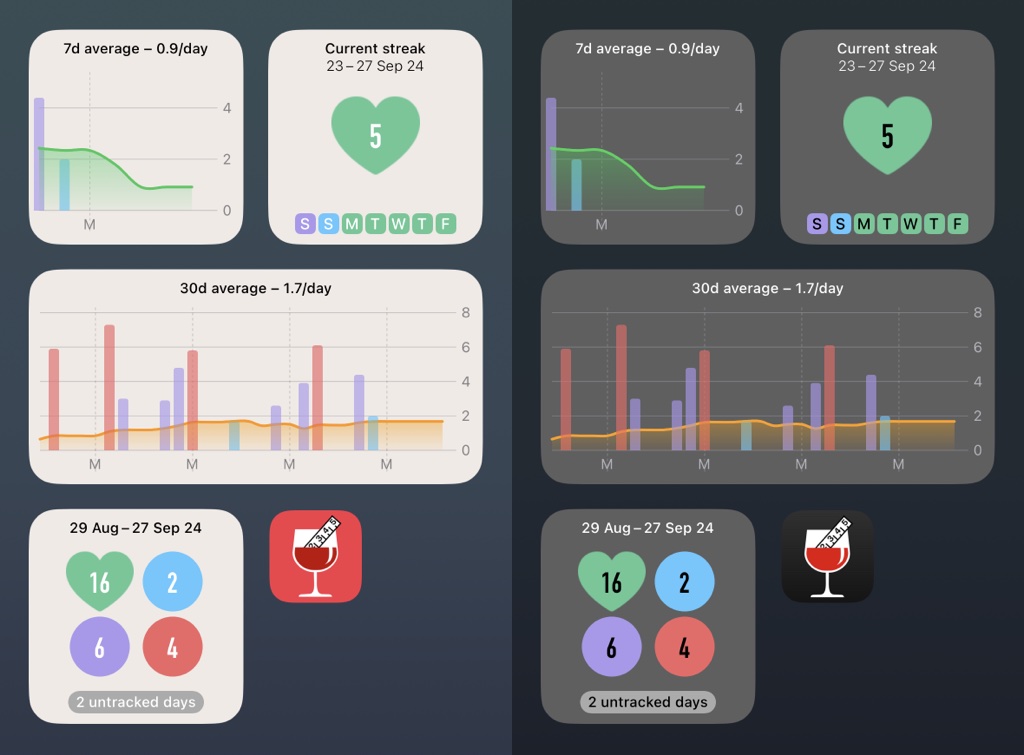
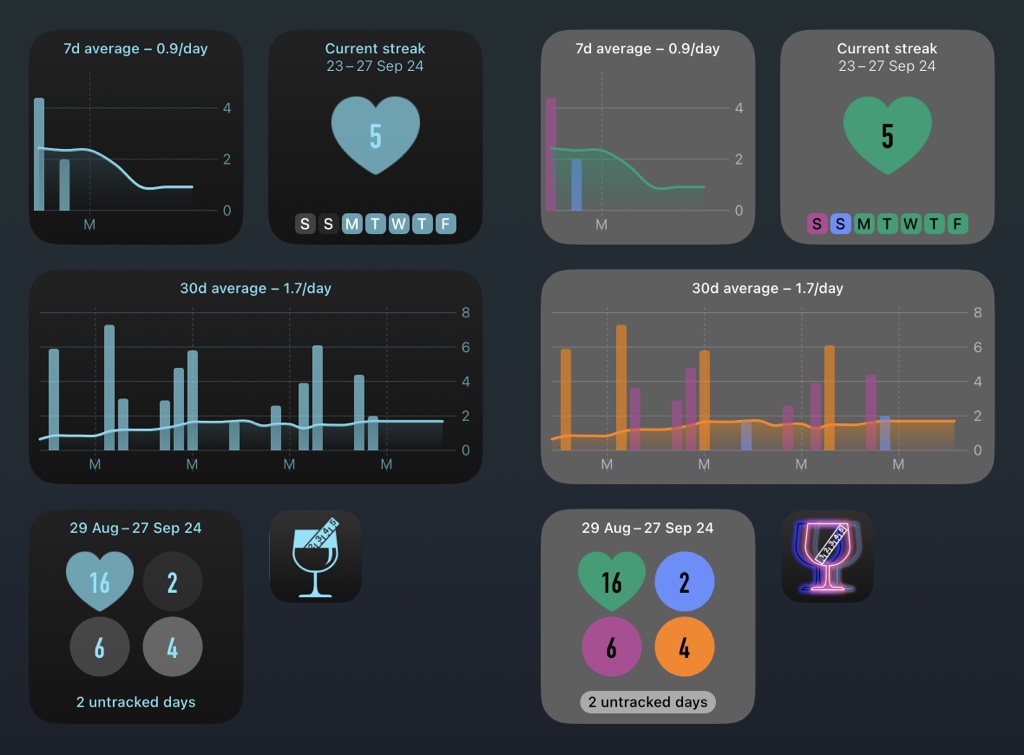
- App icons for iOS18 dark/tinted homescreen.
- Widget support for iOS18 dark/tinted homescreen.
- Fixed issue on iOS15 - [Calendar] title appears and occasionally breaks user interface.
- Fixed issue where widgets do not get immediately updated after app theme is changed.
- New ColorSight app theme (available in the [Settings] under [App theme] option) improving the app experience for color-blind people using the app and DrinkControl widgets.
- Minor app bug fixes.
- Added new home screen widgets for your alcohol consumption trendline based on 7 days or 30 days average consumption.

- IMPORTANT: Homescreen widgets are premium feature and require at least iOS16 on your device.
- Do not ask for confirmation in Calendar when marking day as sober/dry in the morning.
- Fix bug with [Another dry day] button not working in the [Today] screen when used in the morning.
- Fixed occasional crash when launching app from the home screen widget.
- Added moderate/low-risk limits for Australia.
- Added buttons for quick navigation between [Stats] sections.
- New alternate app icon "Dry". (Premium feature).
- Minor UI improvements for widgets.
- Fixed occasional crash when launching app from the home screen widget.
- Fixed crash in drink type editing screen while scrolling serving size wheel if 0 calories are entered in the Calories field.
- Added home screen widget showing your streaks of consecutive dry/sober days, either currently ongoing streak or your all-time longest one. Includes also quick glance of your last 7 days against your currently selected low-risk/moderate drinking guidelines.
- Added home screen widget showing your last 30 days grouped by day consumption vs your currently selected low-risk/moderate drinking guidelines. Also quick glance of your dry/sober days in the period.
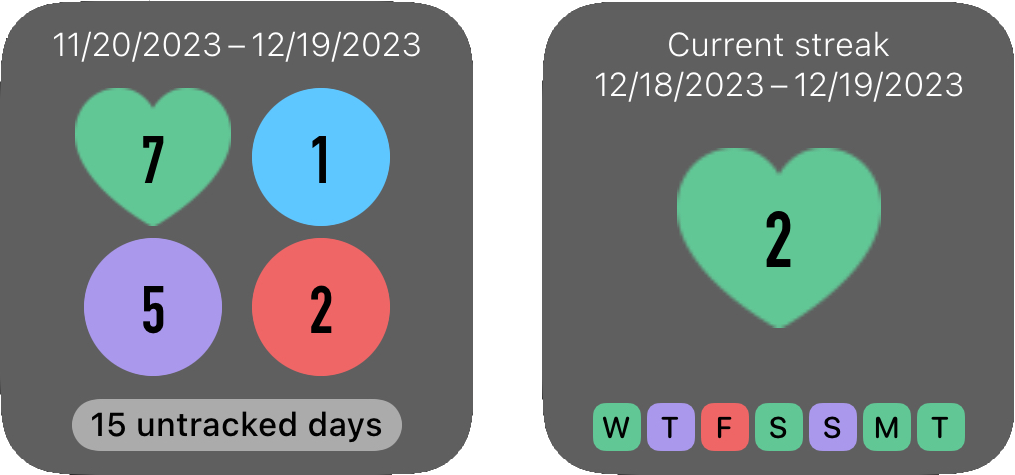
- IMPORTANT: Homescreen widgets are premium feature and require at least iOS16 on your device.
- Added longtap actions (for copying, deleting drink) on the drink in the Calendar.
- Future dates are excluded from calculating consumption averages for the period.
- Minor UI improvements.
- Do not pause currently played audio when playing a sound in the app.
- Fixed: occasional app crash after restoring app data from iCloud backup.
- Updated limits for Canada with latest Canada’s Guidance on Alcohol and Health, 2023 (lower daily/weekly limits).
- Updated with (a bit lower) US weekly limits from latest US National Institute on Alcohol Abuse and Alcoholism guidelines.
- [Today] tab will show number of dry days within last 30 days if you are on dry/sober streak (at least 6 dry days in the row) instead of details of the last drink tracked.
- Double tapping on the date in date picker selects date without need for [OK] button.
- Better sharing previews when sharing charts from [Stats] tab.
- Minor UI improvements.
- Fixed crash when setting custom background image for [Today] tab with camera.
- App sounds are muted if you phone is switched to silent mode.
- Rename serving size names with longtap on serving size wheel (in the drink type editing screen, see in the [Settings] tab).
- Additional serving sizes can be added for user-defined drink types as well.
- Fixed user interface bugs on iPhone 14 Pro in the dark mode.
- Add preferred/missing serving sizes for your favorite drinks in the [Settings]-[Modify drink types] screen. Longtap on serving size picker to add/delete serving sizes for drink type.
- Added support for Siri shortcuts/search suggestions to enable opening DrinkControl from app search bar/suggestions.
- New alternate app icon "Retrogaming".
- Fixed issue where app does not allow to change background to another photo if custom background with photo is already selected in the [Settings] tab.
- Fixed column header name in .csv data export file.
- Other minor bug fixes.
- Days with non-alcoholic drinks can be marked as dry/sober days. Feel free to add tea/coffee, juice or "zero" beer without breaking your green line in Calendar.
- Better, calendar-style date picker for changing drink date.
- [Info] tab renamed to [Help] for clarity.
- Bug fixes and minor user-interface improvements in the [Settings] tab.
- Sober/dry days are included in infographic as separate section.
- New alternate app icon "Op art".
- Improved displaying of sober/dry and empty periods in the charts.
- It is now possible to mark today as dry/sober before noon (with confirmation dialog).
- Minor UI changes and improvements.
- Fixed bug: premium features may not unlock immediately after purchase
- Fixed bug: app occasionally prohibits marking of day as dry/sober in the Calendar.
- Fixed bug: crashing of the app during saving new custom drink type
- Track dry/sober days and streaks in Calendar.
- Charts and statistics include summary of dry/sober days.
- New "Keep Calm" background posters for sober day/week in [Today] tab.
- New alternate app icon "Constructive".
- New serving sizes for beer and shot drink types (when volume sizes in milliliters).
- Display totals in gallons (instead of oz) for larger amounts where relevant in [Stats].
- Fixed UI issues when switching between light/dark mode.
- Fixed UI issues when [Smart invert] accessibility option is enabled in the Settings app.
- On devices with iOS15 you can sync amount of alcohol units (standard drinks) with the Health app. Tap [Sync with Apple Health] in the Settings tab to enable alcohol unit sync.
- Added "1 minute intro" explainer for the app - see in the About tab.
- Added alternate app icon "Rainbow" (Premium feature).
- When adding new drink types in the Settings, drink icon selection picker opens automatically.
- Bug fixes.
- Drink type selection picker opens automatically for new drinks.
- Added alternate app icon "Dark" (Premium feature).
- Support for upcoming iOS version.
- Support for alternate web browsers and e-mail clients.
- Fixed issue when premium features sometimes does not unlock immediately after purchase confirmation.
- Quickly delete drink from the Calendar or add a copy of the existing drink (for today) by longtapping on drink.
- Fixed issue: preferred serving size not saved after editing custom/user-defined drink types.
- Volume units for drink sizes (ml, oz or imperial oz) can be changed in the [Settings] tab independently from currently selected guideline limits country.
- New serving sizes, extra sizes for custom (user defined) drink types.
- User-defined drinks has 0.1% alcohol volume precision enabled by default in the drink picker.
- Alcohol volume picker wheel can be switched between 0.5% and 0.1% precision modes with longtap on the picker in the [Add drink] screen (Premium feature).
- Additional icons for custom drinks.
- Additional alternate app icon "Steel" (Premium feature).
- Added option for data backup and restore to/from iCloud (Premium feature).
- Additional alternate app icon "Harmony" (Premium feature).
- Screens can be dismissed simply by swiping screen down (if no changes have been made).
- Additional serving sizes: 5oz (Standard glass) for [Other] with Canada settings, 25 oz (Large bottle) for [Other] with US settings.
- Support for upcoming iOS version.
- Fixed issue: hidden drink type status not preserved after restore from the backup.
- Additional alternate app icon "Neon" (Premium feature).
- Fixed issue when progress indicator stays on screen if [Done] button in the Photo picker is pressed without selecting any image for the Today tab custom background.
- Fixed decimal separator in the Today info-panel for non-english locales.
- Attachment picker uses 3-column view with bigger thumbnails for selecting custom background for Today tab from Photos.
- Fixed issue: attachment picker not always scrolled to most recent photos.
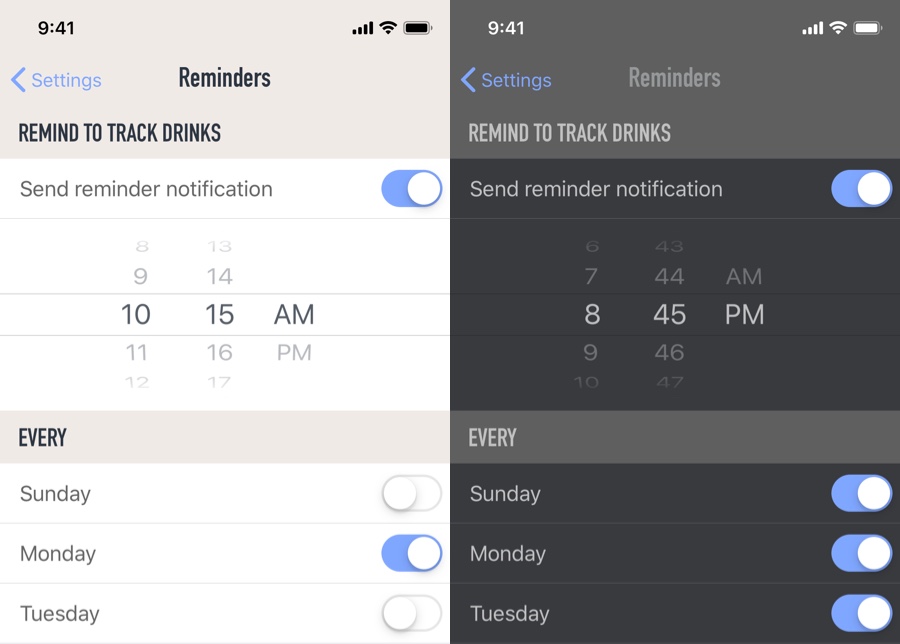
- Added option to configure drink tracking reminder notifications (premium feature).
- Fixed crash occurring after app data is imported from old paid app (DrinkControl version 4).
- Fixed issue: user selected country/limits setting not preserved during app updates.
- Longtap anywhere in the Stats tab activates period selection picker for better one-hand use.
- Better visibility of "empty" days in the 7/30 days alcohol units chart.
- Additional sizes for default drink types.
- Additional alternate app icon.
- Fixed issue: selected date period [calendar year] in Stats not preserved between app launches.
- Alcohol units bar in 13/26/52 week charts is violet if binge drinking limit was reached for any day within the week.
- Fixed chart bar color when amount of consumed units is equal with the moderate consumption guideline.
- Fixed crash when launching app via 3DTouch/ForceTouch shortcut if app was not in the background.
- New time periods for charts in the Stats tab - calendar week, calendar month and calendar year.
- Added option to navigate back in time for charts and infographic in the Stats tab - tap on arrows in time period of the chart.
- Tapping on bar in the chart will reveal date interval and drink details for the selected day/week.
- Added integration with Apple Health (syncs amount of drink calories).
- Added Dark mode option.
- Added option for alternate app icons.
- Added option to delete drink types.
- Added option to recommend app to friends (see in About tab).
- Added option for becoming a Patron of the app (with small monthly donation).
- Removed avatar/quote appearance options for Today tab.
- Added new serving sizes.
- Added option to zoom/position custom background image for Today tab.
- Drink price calculator keyboard does not block tapping other data fields in drink editing screen.
- Bug fixes and performance improvements.
Other changelog pages: Version 6 (latest) changelog | Versions 1–4 changelog